I built my first app this week. It makes YouTube thumbnails, and so far it costs me almost nothing to run.
You paste in your video title and your script, hit one button, and about a minute later it hands you three finished thumbnails with your face on them, ready to upload.
I cannot write code. Not one line. I built the whole thing by talking to Claude Code in plain English.
This post is how I did it. What the app does, the two AIs that run it, what it actually costs, and the two things that broke and nearly stopped me.
So if you are new here, I am Nick.
AI killed my blogging income a couple of years ago. I spent two years angry about it. Now I am using AI to build new tools and claw my way back to the $45,000 months I used to have.
I am 42, I have no tech background, and I am building all of this in public so you can watch it work or watch me fall on my face.
Why a thumbnail app, of all things
On YouTube the thumbnail is the whole game. You can pour a week into a video, and if the thumbnail is weak, nobody clicks and all that work is wasted.
The problem is I am not a designer. For years, one thumbnail meant an hour or two in Canva, dragging boxes around and swapping fonts, and I still ended up with something mid.
Then I saw a video from Ahrefs, shout out to Sam Oh, where they built an app that does exactly this. The catch is you have to use their app and pay for their subscription. So I figured I would build my own and not pay for it.
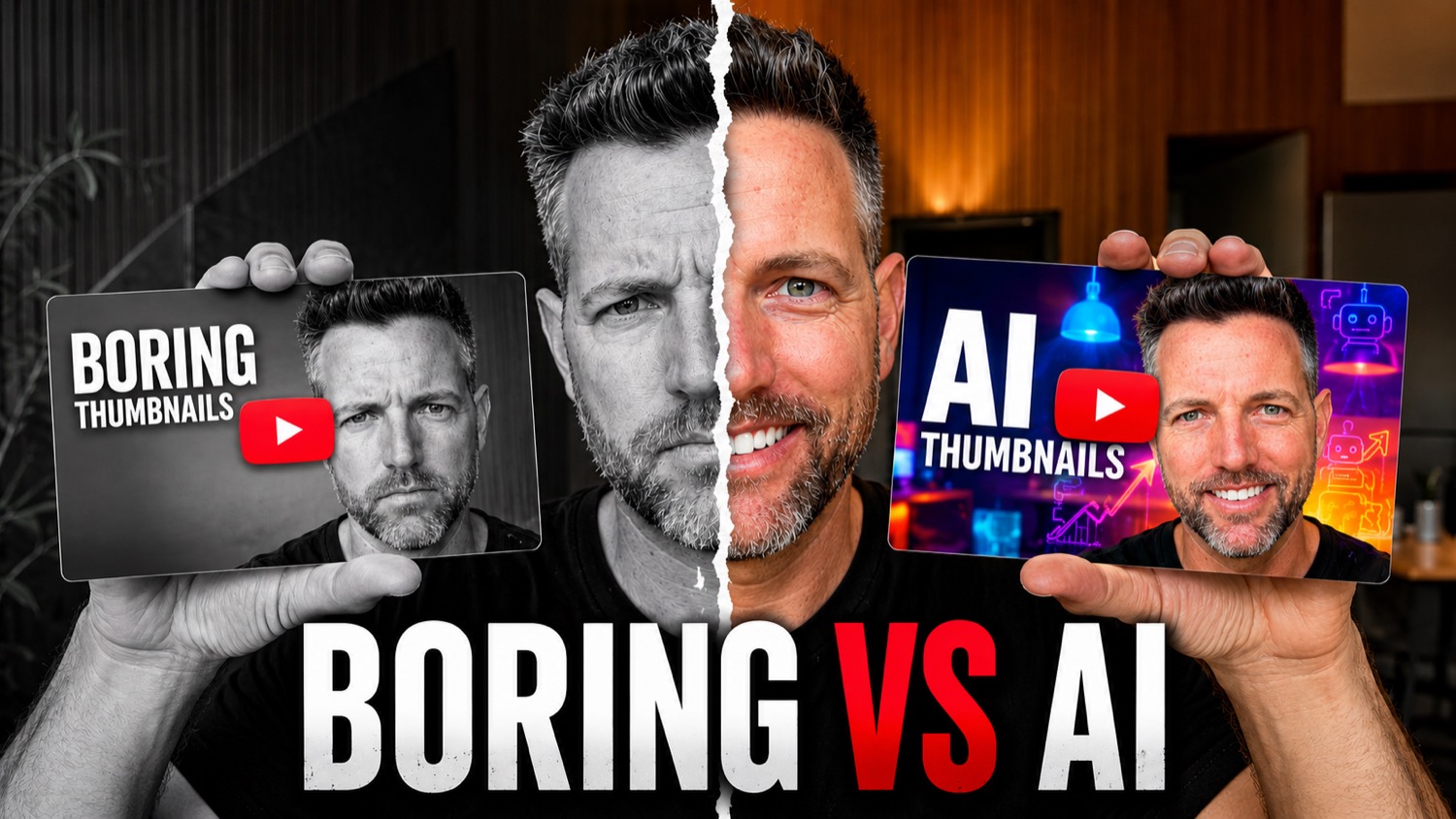
That is the bar I set. Not just any thumbnail, but the high-contrast style the big channels actually use to go viral.
What it actually does
You give it your title and your script or description. You hit one button. About 30 to 60 seconds later it hands you three completely different thumbnails.
Each one comes at the video from a different angle. One might put a shocked look on my face. One might lead with a big bold number. One might be a before and after of whatever I am talking about.
There are 18 thumbnail strategies baked in, and it picks the ones it thinks will get the most clicks for that specific video.
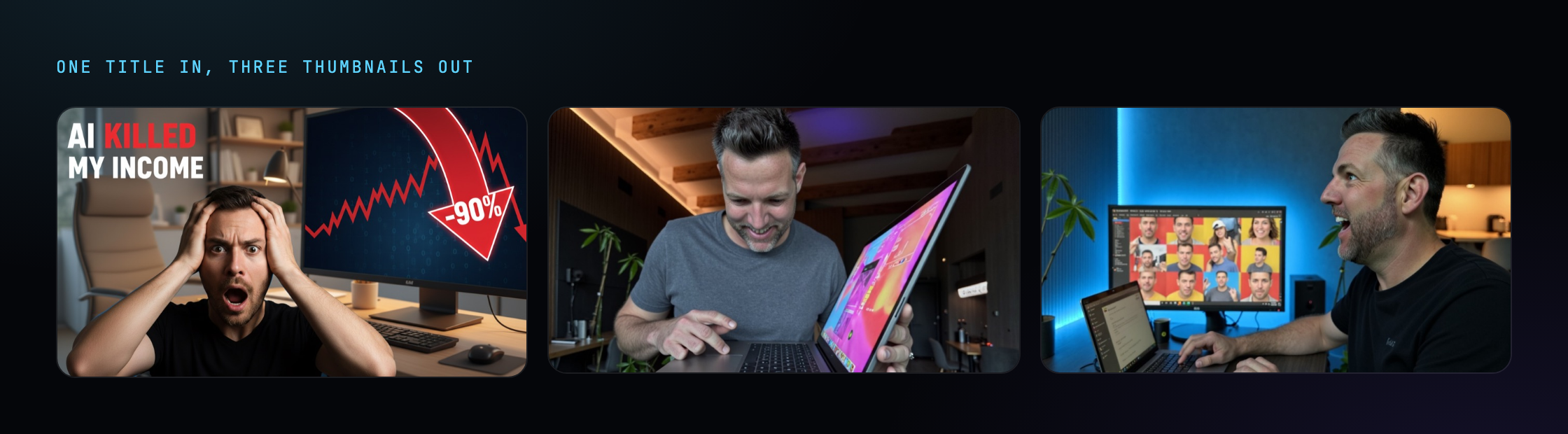
It does more than draw the picture. Next to each thumbnail it writes a short note on why that one should work, who it is aimed at, and what will make someone stop scrolling.
It is basically a thumbnail strategist looking over my shoulder on every video, for free. I am not a designer, so having it explain the why is half the value for me.
If I do not like where the text sits, I grab it with my mouse and drag it. If I want to change the image, I type it out, something like “make it look like a storm is rolling in behind me,” and it redraws the whole thing.
It even shows me a fake YouTube feed, so I can see how my thumbnail looks sitting next to everyone else’s before I commit to it.
How a guy who can’t code built it
I did not write a single line of code. I do not know how.
I described what I wanted to Claude Code in plain English, the way you would explain an idea to a smart friend who happens to be a world-class developer.
I would say something like, I want a page where I paste my video title and it gives me three thumbnails. It would go away for ten or fifteen minutes and write the real, working code. Then I open the app on my Mac and it is there.
When I wanted a change, I described the change in normal words. When something looked off, I described what looked off. That back and forth is the whole skill.
Here is roughly what I typed to get it started:
“Make the interface modern, with a frosted glass look. Let me paste in my video title and script. Use the Gemini API to generate three professional thumbnail options, and train it on the styles the big YouTubers use so the designs are proven to work.”
I never told it which code to write. I told it what I wanted and let it figure out the how.
The one trick I picked up is to build it one piece at a time. I did not ask for the whole app in one go. I got the basic page working first, then added the three options, then the face, then the editing, fixing each part before moving to the next.
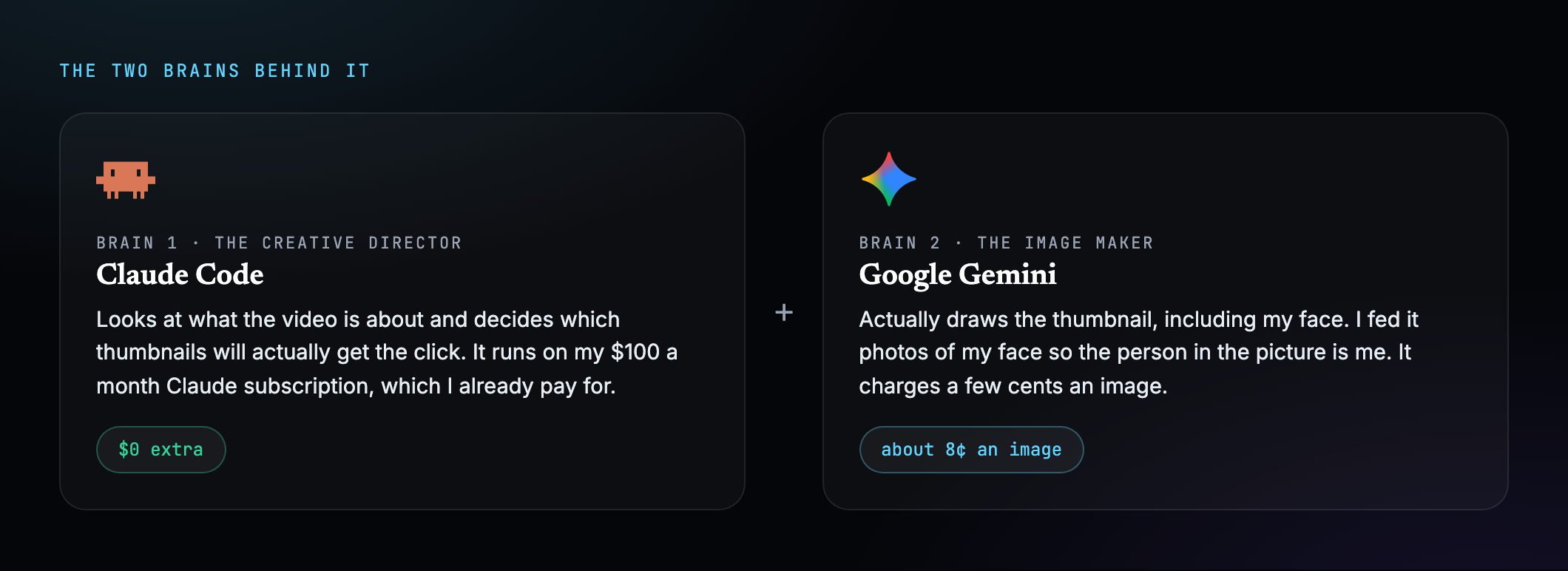
The app runs on two brains.
The first is Claude, the creative director. It looks at the video and decides what thumbnail will get the click. That runs on my Claude Code subscription, which I already pay $100 a month for, so it costs nothing extra.
The second brain is Google’s Gemini. That is the part that draws the image and puts my face on it. I fed it real photos of my face so the person in the picture is me and not some stranger who vaguely looks like me.
What it costs to run
The creative side is free, because it rides on a subscription I already pay for. The image side is where the small charges come in, about eight cents an image.
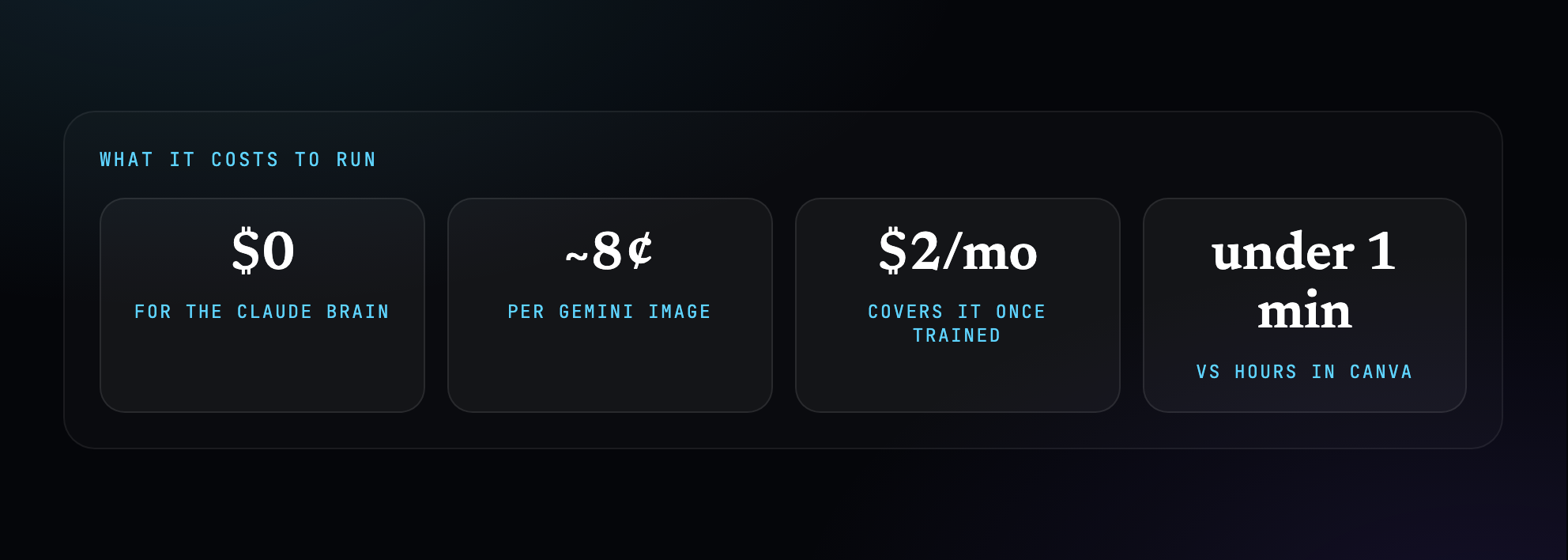
Eight cents does not sound like much. But three options a video, plus the regenerations when I do not love the first batch, plus all the training, adds up faster than you would think.
For about two dollars a month once it is dialled in, I get thumbnails that used to take me hours. That math is the whole reason I built it.
The two things that broke
I do not want to make this sound smooth, because it was not. Two things nearly stopped me.
The big one was the face. Early on, the guy in the thumbnail looked nothing like me. Same hair, maybe a beard, but the wrong face. The head was too big, or the eyes were too close together.
And when you cannot code, you cannot dive in and fix it yourself. All I could do was describe the problem to Claude Code over and over, and it kept getting close but not quite right.
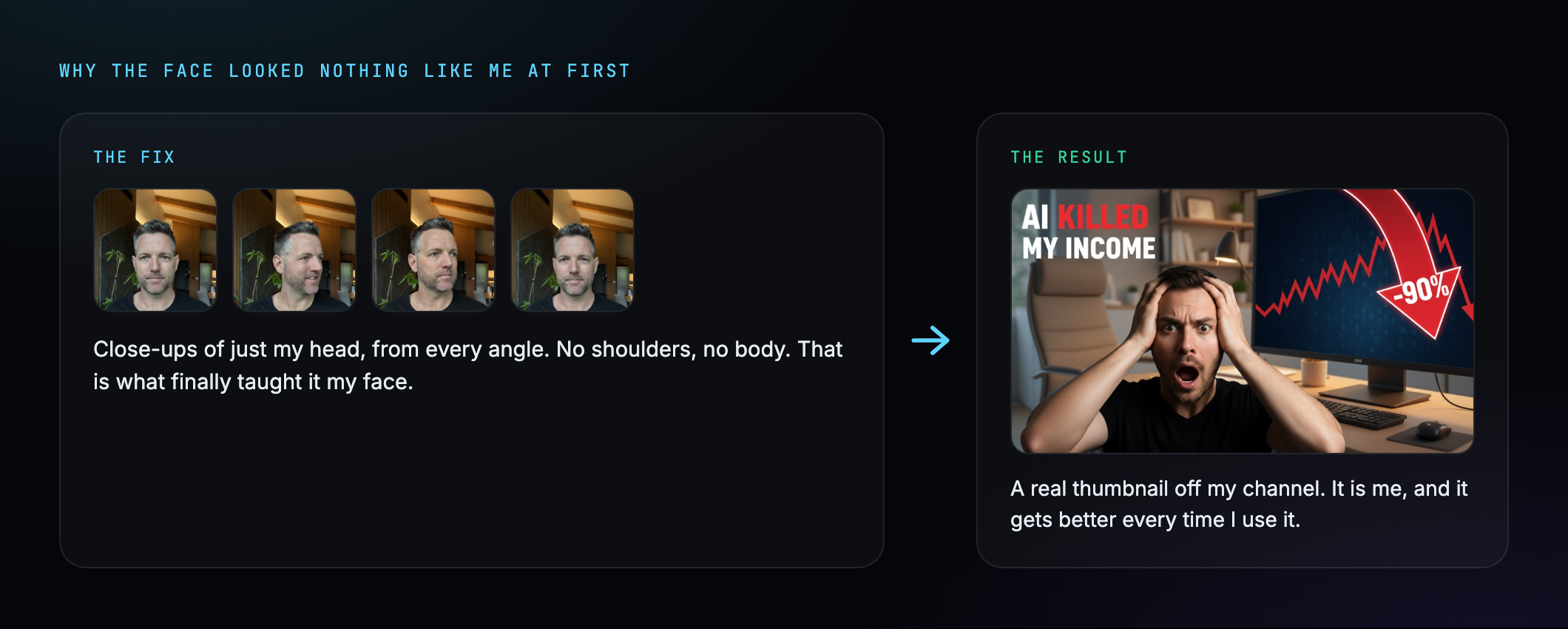
What fixed it was the photos. I had been feeding it shots with my shoulders and body in the frame. Once I gave it close-ups of just my head, it finally learned my face. It is not perfect, but at thumbnail size it is passable, and better than anything I ever made in Canva.
If you want to copy this, the recipe is simple. Take about 20 photos of just your face, no shoulders and no body, from every angle you can get. Feed those in as the training set. That close-up set is the whole thing that made the difference for me, and it gets a bit better every batch I add.
The second problem looked like a full crash. One morning the app would not make a single image, and I messed with it for an embarrassingly long time.
The cause was dumb. I had set a two dollar a month spending cap on Gemini to stay safe while testing, and I hit it. Google just cut off the images until I raised the cap.
So before you panic that your app is broken, check whether you have run into a spending limit. That was an hour of my life I am not getting back.
Why I built it instead of just using ChatGPT
People ask why I did not just go into ChatGPT and ask it for a thumbnail. I tried that.
You get one generic image with no real control. The text is slapped on and you cannot move it. You cannot change the font or the colour. And the person it draws, if you want it to be you, does not look like you.
Building my own app meant I could bake in the rules about what actually makes people click. I could feed it my own face. And I get three finished, editable options in one shot instead of fighting a chatbot for an hour.
Building this got me thinking. Why would you pay thirty dollars a month for some app when you could build your own version in a weekend, set up exactly how you want it?
We are not there yet. But software is getting easy enough to build that I really do wonder how long people keep paying monthly for it. That is probably a whole separate post.
The point for you is simpler. If a 42-year-old with no tech background can build a tool he would happily pay for in an afternoon, the only thing between you and the thing you keep wishing existed is sitting down and starting it.
If you want to build this exact thing, you need three pieces. A Claude Code subscription to do the building, a Gemini API key for the images, and about 20 close-up photos of your face. That is the whole shopping list.
Where this is actually heading
This thumbnail tool is one piece of something bigger.
What I am building is a full YouTube pipeline. I record myself talking to the camera, mistakes and all, and hand the raw video to an editing agent.
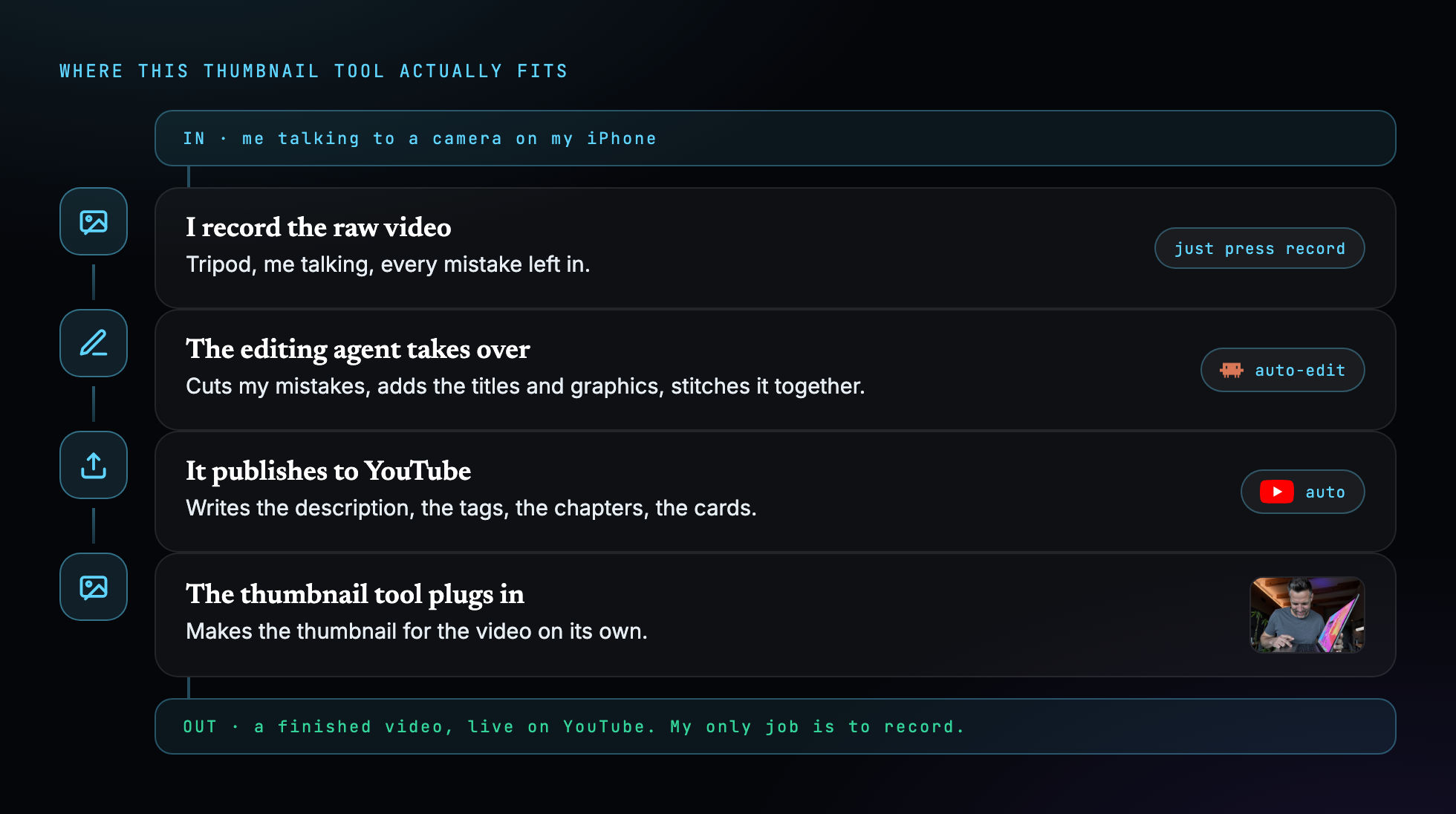
That agent cuts my mistakes, adds the titles and graphics, stitches it together, uploads it to YouTube, and writes the description, the tags, the chapters and the cards. This thumbnail tool plugs straight into the end of it.
So eventually my only job is to sit down and record. The rest runs itself.
One thing I want to be clear about. I am not turning into an AI avatar. The scripts, the face and the voice stay me. I am happy to hand the boring backend work to AI, but the human part stays human.
I am 42, I have no tech background, and in half a day I built a tool that does a job I used to dread, faster and better than I ever did it by hand.
If you want to build your own, I wrote up every step into a free guide and the link is under the video. And if you want to follow along while I try to build a real business out of this, the whole journey is on the channel.
Come along for the ride.